- 10919 Stancliff Rd, Apt 4107 Houston, TX 77099
- [email protected]

Office Address
10919 Stancliff Rd, Apt 4107 Houston, TX 77099
10919 Stancliff Rd, Apt 4107 Houston, TX 77099

Most artists already have an audience somewhere. It might be a social feed, a marketplace shop or a gallery listing, and each of those is useful. The catch is that none of them belong to you. Platforms change how posts are shown, marketplaces change fees and search rules, and a profile can vanish after a single dispute you never saw coming.
Your own website is different. You choose the layout, the order of the work, the wording of your statement and the price of a print. You also collect the thing that matters most over time, which is a mailing list of people who asked to hear from you. A follower on a platform is borrowed attention, while an email address is a direct line.
That does not mean you should leave the platforms. Keep posting where people already look, and let those posts point to a home base that stays put. A buyer who finds you on a feed will often search your name before spending money, and what they see then should look like the work deserves. A tidy, fast site also tells a curator or a gallery owner that you take your practice seriously, which counts when they are deciding whether to reply to your email.
Every practice is different, so no two sites look alike. Still, the same six types of page appear again and again on sites that work. You may not need all of them on day one, and we would rather launch a clean five pages than a crowded fifteen. Think of the list below as a menu. Pick what fits the way you sell and show your work now, and leave room to add the rest as your practice grows, which WordPress makes easy.
WordPress is free, open software that you install on your own hosting, and that single fact explains most of its appeal for artists. The site, the images and the content are yours. If you ever change designers, you keep everything and move on, instead of rebuilding inside someone else's system.
It also grows with you. A new site might begin as a portfolio and a contact form. Later you add a shop with the WooCommerce plugin, a booking form, a members area for a course, or a newsletter connection. Modern block themes let you edit layouts visually, and the media library handles large image collections well. Gallery and lightbox plugins cover most display styles without custom code. Because WordPress is so widely used, there is also a large pool of developers who can help later, so you are not tied to one person for ever.
Honesty matters here, because WordPress is not maintenance free. Core software, themes and plugins need regular updates, and a site needs backups and decent hosting to stay fast and safe. That is a good reason to have a team behind it. Our WordPress website development service covers the build, and we explain why hosting matters for a WordPress site in a separate guide. If you prefer to run updates yourself, we show you how. The point is that a site is a living thing. The sooner you treat it that way, the fewer unpleasant surprises you will meet.
There are two sensible ways to build a WordPress site for creative work. You can start from a ready-made theme and adapt it, or have a design drawn around your work. Both are valid. The honest answer depends on budget, timing and how much the look of the site is part of your brand. Neither route is a shortcut or a compromise on quality. It is a question of where you want to spend your money and effort.
| Factor | Template-based | Custom design |
|---|---|---|
| Cost | Lower | Higher |
| Uniqueness | Shared layouts, tuned with your colours and type | Built around your work |
| Time | Often quicker | Longer, with more design rounds |
| Flexibility | Limited by the theme | Shaped to your needs |
| Maintenance | Theme updates from its author | Updates planned with your developer |
A template suits an artist who is starting out, wants to be online soon and has a clear body of work. Custom design suits an established practice, a distinctive visual identity or unusual needs such as a large archive. Many projects land in between, using a well-built block theme and then shaping it heavily. Whichever route you choose, ask who owns the finished files, who supports the theme if its author stops updating it, and how much it costs to change the layout a year from now. Those answers matter more than the first price you see. WordPress explains how these themes work in its documentation on block themes. For the wider debate, read WordPress versus custom development.

On most websites the design carries the message. On an artist site the work does, so the design job is to get out of its way while keeping the page fast.
Start with the images. Upload files sized for the screen, not straight from the camera, and let WordPress create the smaller versions that phones need. Modern formats such as WebP keep files light, and lazy loading delays images that are far down the page. A gallery that takes ten seconds to appear loses visitors before they see a single piece. Artists often worry that compression ruins colour. Done carefully, it does not, and we check a few key images side by side before settling on sizes.
Colour and type should be quiet. White, off-white or a deep neutral lets paintings and photographs hold their own colours. One or two typefaces are plenty. Generous whitespace gives each piece room, and a consistent grid makes a series look intentional. Avoid slideshows that move on their own, because they hide work before people can look at it, and think twice about text over images, which is hard to read.
Check the site on a phone first, because that is where many visitors will meet you. Tap targets need space, captions need to stay readable and the menu should be short. Page experience also feeds into search, and Google's Core Web Vitals look at loading, responsiveness and layout shift. Our web design and development team tests all of this before launch.
One more point is worth stating plainly. A beautiful site that nobody can navigate is still a poor site. Keep the menu to a handful of clear labels such as Work, About, Shop and Contact, and make your name a link back to the home page on every screen. Visitors who arrive from a social post often land deep inside the site, so each gallery page should make sense without the home page.

Selling from your own site means you decide the prices, the packaging and the customer experience. It also means you handle the details that a marketplace would otherwise hide.
Prints, originals, digital downloads and licences are four different products with different needs. Prints need size and paper options, shipping rates and a returns policy. Originals often need a single, unique listing that disappears once sold. Downloads need secure delivery and clear terms for personal or commercial use. Licensing usually suits an inquiry, since each use is negotiated.
WooCommerce, a free WordPress plugin, can handle all of these. Payments go through providers such as Stripe or PayPal, so card details never sit on your own site. Tax rules vary by state and by product, so check with an accountant what you must collect and report. Keep records of orders and shipping from the first sale, because it is much easier than rebuilding them at year end.
Photograph each piece well, because a poor product image sells nothing. Show scale with a room view or a hand for reference, and say how each piece is packed. Keep checkout short, with as few fields as you can manage, and send a clear confirmation email so buyers know the order arrived. Offer a sensible way to ask questions before buying, since many art purchases start with a message. If you want to understand the wider build, our WordPress team can walk you through the options on a call.
Request a free SEO review and we will show you what we find, with clear next steps.
The principles above apply across creative fields, though each group has its own habits and its own priorities.

Photographers need fast, large galleries organised by type of work, such as portraits, weddings or commercial. Private client galleries for proofing are common, so we plan how clients view and choose images. Many photographers also win work locally, so a clear service area and a complete Google Business Profile help people nearby find you. Sizes, usage rights and price guides can sit on a simple services page.
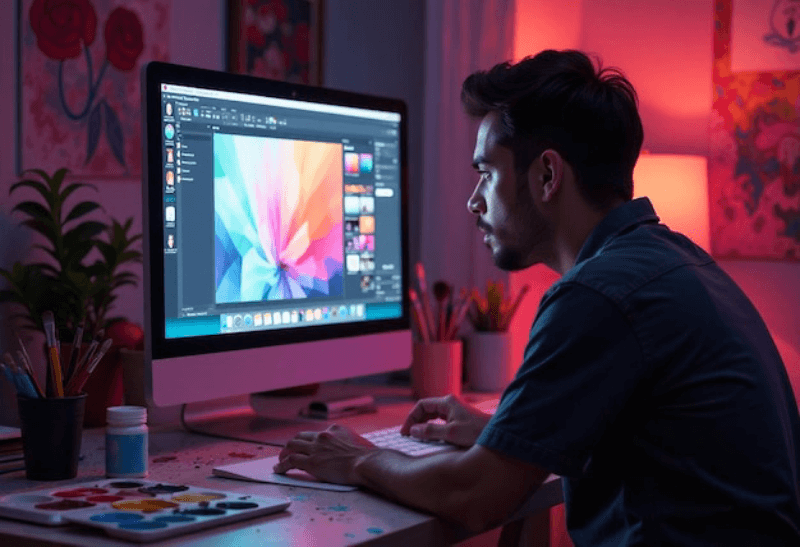
Visual designers and illustrators sell their thinking as much as their finished pieces. Case studies work better than a bare grid, because they show the brief, the process and the result. Give each project a short story, a few strong images and a plain line on your role, so a prospective client understands how you work. Add a clear line on availability and the kinds of project you want.

Ceramicists, jewellers, woodworkers and other makers usually sell objects, so the shop leads. Pair product pages with process photos and short notes on materials, since buyers like to know how things are made. Stock levels, made-to-order timelines and shipping for fragile items should all be stated up front. A short page on care instructions can prevent returns and build trust.
Search engines read words, not brushstrokes, so an image-led site has to describe itself. A few habits make a large difference.
Write alt text for every meaningful image, in plain language that says what is shown. Name files sensibly, for example harbour-sunset-oil-on-canvas.jpg and not IMG_4821.jpg. Give each artwork a real title and a short description on its own page. Google lays out how it understands pictures in its image SEO guidance, and following it helps your work surface in image search.
Searchers also look for people, so your name should appear in page titles and on the About page. Descriptive page titles and meta descriptions also tell a searcher what to expect before they click, which is worth a few minutes per page. Photographers and studio-based artists who serve a local market should keep their business details consistent and claim a Google Business Profile where the rules allow it.
None of this is a trick, and nobody can promise a ranking. It is careful housekeeping that helps the right people find you. When you want a specialist to carry the work, read about SEO for your portfolio, and we can plan it alongside the build. Planning it early is cheaper than fixing it later, because file names, headings and page structure are easy to set at the start and tedious to correct across hundreds of images.
A site made of pictures can shut out people who cannot see them, unless it is built with care. Accessibility is also good manners toward every visitor, including those squinting at a phone in sunlight.
Alt text is the first step, because screen readers read it aloud. Keep it short and descriptive, and leave it empty for purely decorative images. Check colour contrast between text and background, especially text laid over a photograph. Make sure every menu, gallery and form can be used with a keyboard alone, and that the focus outline is visible. Captions help everyone, and transcripts or captions should accompany any video.
The W3C introduction to web accessibility is a clear place to start. We build with these points in mind and test the finished pages. Accessibility also overlaps with good SEO and good usability, so the effort rarely goes to waste. Some jurisdictions have legal expectations as well, and a site that meets the standard is easier to defend if a question ever arises.
Prices vary widely, because a five-page portfolio and a full print shop are very different projects. The figure below is a general market range for web design, not a quote from us. Shopify's ecommerce website cost guide cites industry estimates of roughly $3,000 to $15,000 for a small business site of around ten pages. Template-based builds tend to sit toward the lower end, while custom design and extra features such as a shop push costs up.
Hosting, a domain, premium plugins and image licensing are often separate from the build, so ask what a quote covers. A low headline price that leaves out image preparation, the shop setup or training can cost more once the extras arrive. We list what is included so the number you see is the number you pay for that scope. Nexi Bloom prices are quoted per project after we understand your needs. See our pricing overview for how we approach this.
The reasons are practical. We are based in Houston, Texas. We build in WordPress and can host the site as well, so design, build and hosting sit with one team and you are not chasing three companies when something breaks. You can edit the site yourself, and we show you how. We also keep our language plain, put the scope in writing and answer questions without jargon, since most artists would rather spend time in the studio than learn technical vocabulary. Below are the independent review sites where our customers have posted feedback.
Reviews are shown as posted by customers on each platform. We do not edit them. Ratings and counts are taken from each profile on the date shown.
You can read client reviews on independent platforms directly.
Tell us what you make, who you want to reach and whether you plan to sell online. Share any site you have now, even if you dislike it. We will reply with clear next steps and a written quote. There is no obligation, and a conversation with our team costs nothing.
Share your details and we will reply with clear next steps.